“The Universe is under no obligation to make sense to you.” ― Neil deGrasse Tyson
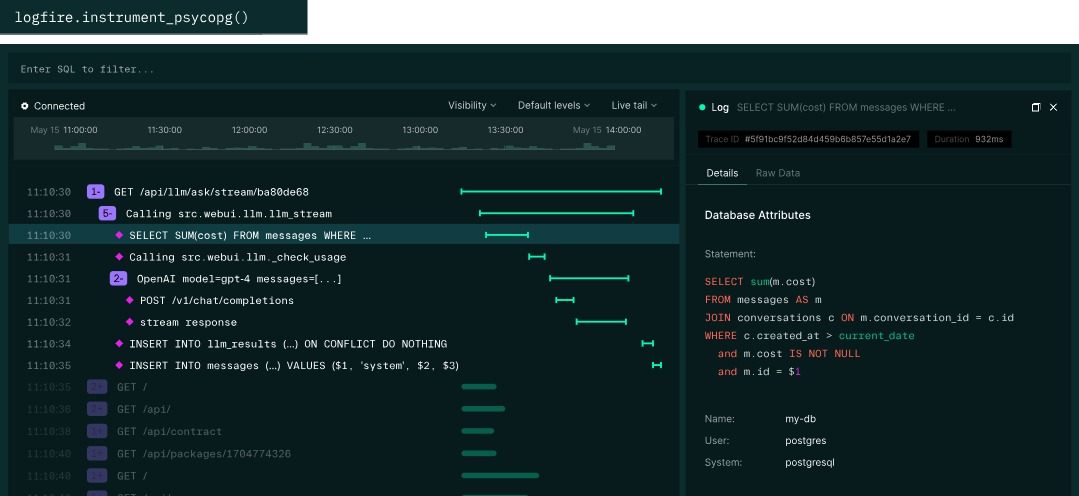
Monitor your entire AI application stack, not just the LLM calls. Logfire is a production-grade observability platform for AI and general applications. See LLM interactions, agent behavior, API requests, and database queries in one unified trace. With SDKs for Python, JavaScript/TypeScript, and Rust, Logfire works with all OpenTelemetry-compatible languages.
It's PPL time ("Personal Private Leave", aka Vacation) 😀 ... time to spend some time on S.H.O.D.A.N. and some of my other hobbies (most of them involve a screen 🤔).
Part of the project idea is also, to have an option to review AI sessions. For example to identify potential improvements. I decided to use Pydantic AI for the orchestration; so - naturally I did spend some time reading about it and what else the company offers.
Logfire
Logfire seems to do exactly what I want. It is not open source, but free for personal use and evaluation. As it can be self hosted, it is within the boundaries I've set for digital sovereignty - in case the system would be used in a corporate environment. So I'll give it a try and ask our local AI for an impact analysis:
🛠️ Implementation Plan for Logfire Observability
Package Manager:uv
Packages to Install (via uv add):
logfire[fastapi]: This installs the core logfire SDK along with the necessary extras for deep integration with FastAPI's lifecycle and request context.
Files to Edit/Modify:
requirements.txt or equivalent dependency file (to include logfire).
The application startup file (e.g., main.py) for initialization and middleware setup.
.env.example or .dev/config file (for required environment variable documentation).
Environment Variables / Secrets:
You must set the following secret in your CI/CD pipeline: LOGFIRE_TOKEN
The application code must be configured with the non-default base URL: https://logfire-eu.pydantic.dev.
Verification Strategy:
Run local development setup (e.g., using a tool like uvicorn).
Trigger one representative request endpoint (e.g., a GET request to /users/me).
Check the Logfire console in the user/project workspace for incoming traces and spans corresponding to that request's start time. The service name should be set automatically by the SDK or explicitly defined in the code.
🚀 Code Changes (Assuming standard FastAPI structure)
I will use guard clauses and early returns when initializing the logger to ensure the application does not fail if LOGFIRE_TOKEN is missing, adhering to safety requirements.
1. Dependency Installation
(Execute this command in your project root)
uv add logfire[fastapi]
2. Update .env (For Secret Documentation)
(Modify the example file to inform developers about the required secret)
# Required for Pydantic Logfire observability
LOGFIRE_TOKEN="your-logfire-write-token"
This code snippet demonstrates initialising the logging system using environment variables and setting the custom base URL before the FastAPI app is created.
# main.py or app/core/dependencies.py

import os
from fastapi import FastAPI
from logfire import configure, AdvancedOptions # Import necessary components

LOGFIRE_BASE_URL = "https://logfire-eu.pydantic.dev"

def setup_observability():
    """Initializes and configures Pydantic Logfire observability."""
    # Guard clause: Do not fail if the token is missing (Safety requirement)
    if not os.getenv("LOGFIRE_TOKEN"):
        print("⚠️ WARNING: LOGFIRE_TOKEN not found. Observability skipped.")
        return None # Return None to signal that logging was skipped

    try:
        # 1. Configure Logfire with the non-default base URL
        configure(
            advanced=AdvancedOptions(base_url=LOGFIRE_BASE_URL)
        )
        print("✅ Pydantic Logfire observability successfully configured.")
    except Exception as e:
        # Guard clause for initialization failure
        print(f"❌ Failed to configure Logfire: {e}")
        return None

def create_app() -> FastAPI:
    """Creates and configures the main FastAPI application."""
    app = FastAPI(title="Starter Project API")

    # Setup observability at the very beginning of startup
    setup_observability()

    # --- Include existing middleware/dependencies here ---
    # The logfire[fastapi] extra automatically handles adding necessary
    # middleware/dependencies to capture request spans when this app starts.
    # Example: app.include_router(...)

    return app


app = create_app()

@app.get("/health")
async def read_root():
    """Simple endpoint to test observability instrumentation."""
    # The logfire middleware automatically traces this request.
    return {"status": "ok", "message": "Service is running"}

# To run the app: uvicorn main:app --reload
Summary of Changes:
By placing setup_observability() inside or immediately before FastAPI initialization, we ensure that the logging context manager and middleware are active for all subsequent requests. The use of environment variables (LOGFIRE_TOKEN) satisfies security requirements, and the guard clause prevents runtime failures if credentials are absent.



Comments