Hermes Agent - Desktop
Patrik Gfeller
“The Universe is under no obligation to make sense to you.” ― Neil deGrasse Tyson
It is impossible to stay on top of all the new stuff. but this one is interesting as an interim solution - as I prefer Open WebUI, but I need to learn more how to get out of the sandbox. Hermes is not so picky about security ...
Let's give it a try on my private laptop - using our M4 as the 🧠,
$ curl -fsSL https://hermes-agent.nousresearch.com/install.sh | bash
$ How would you like to set up Hermes?
  ↑↓ navigate  ENTER/SPACE select  ESC cancel

   (●) Quick Setup (Nous Portal) — free OAuth login, no API keys, model + tools (recommended)
   (○) Full setup — configure every provider, tool & option yourself (bring your own keys)
 → (○) Blank Slate — everything off except the bare minimum; opt in to each capability

$ Select provider:
  ↑↓ navigate  ENTER/SPACE select  ESC cancel

   (○) Google AI Studio (Native Gemini API)
   (○) DeepSeek (V3, R1, coder, direct API)
   (○) Z.AI / GLM (Zhipu direct API)
   (○) Kimi / Moonshot ▸ (Coding Plan, Moonshot global & China endpoints)
   (○) StepFun Step Plan (Agent / coding models via Step Plan API)
   (○) MiniMax ▸ (Global, OAuth Coding Plan & China endpoints)
   (○) Ollama Cloud (Cloud-hosted open models, ollama.com)
   (○) Arcee AI (Trinity models, direct API)
   (○) GMI Cloud (Multi-model direct API)
   (○) Kilo Code (Kilo Gateway API)
   (○) OpenCode ▸ (Zen pay-as-you-go or Go subscription)
   (○) AWS Bedrock (Claude, Nova, Llama, DeepSeek; IAM or API key)
   (○) Azure Foundry (OpenAI-style or Anthropic-style endpoint, your Azure AI deployment)
   (○) Qwen OAuth (Reuses local Qwen CLI login)
   (○) Alibaba Cloud Coding Plan (Dedicated coding tier)
 → (○) custom (direct API)
   (○) Custom endpoint (enter URL manually)
   (○) Configure auxiliary models...
   (○) Leave unchanged
# ... some private stuff
Select terminal backend:
  ↑↓ navigate  ENTER/SPACE select  ESC cancel

   (○) Local - run directly on this machine (default)
   (○) Docker - isolated container with configurable resources
   (○) Modal - serverless cloud sandbox
   (○) SSH - run on a remote machine
   (○) Daytona - persistent cloud development environment
   (○) Singularity/Apptainer - HPC-friendly container
 → (●) Keep current (local)

Your minimal agent is ready. What next?
  ↑↓ navigate  ENTER/SPACE select  ESC cancel

 → (●) Start with everything disabled — finish now (most minimal)
   (○) Walk through all configurations — opt in to tools, skills, plugins, MCP

$ source ~/.bashrc
$ volta run --node 22 hermes desktop
→ Installing desktop workspace dependencies...
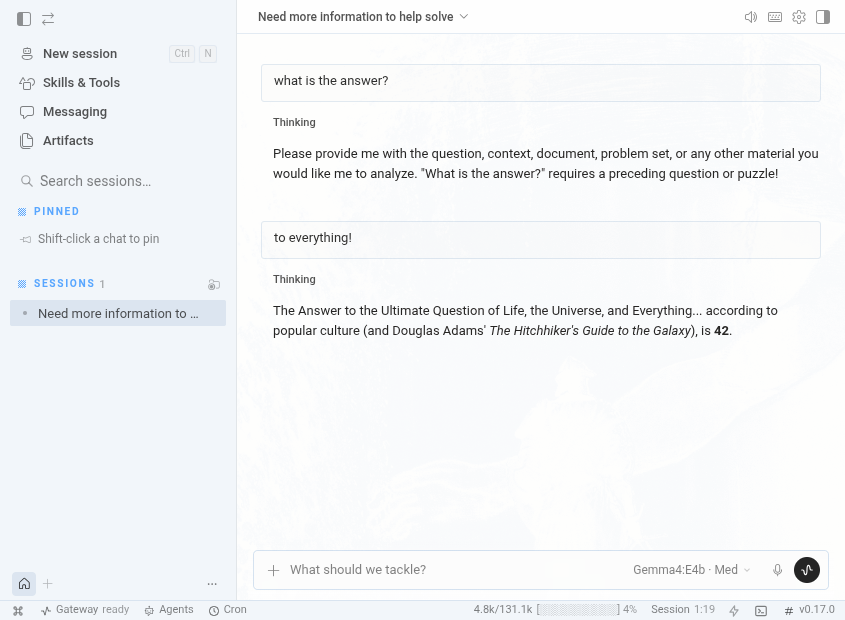
Let's ask it the questions of all questions to see if it works ...
Comments